Plan and Track Construction Progress: A Step-by-Step Guide
Table of Contents
- Why Tracking Construction Progress Matters
- Step 1: Set Clear Project Milestones and Phases
- Step 2: Choose the Right Construction Project Management Software
- Step 3: Establish a Construction Project Progress Tracking System
- Step 4: Generate Regular Construction Progress Reports
- Step 5: Use Drone Construction Progress Monitoring for Accuracy
- Measuring Success: Key Metrics and Corrective Actions
- Frequently Asked Questions
Last Updated: October 14, 2026
Why Tracking Construction Progress Matters
Construction projects live or die by visibility. When you can’t see what’s happening on site in real time, delays compound, costs spiral, and safety issues hide until they become emergencies. Finishing on schedule often comes down to one thing: how well you track construction progress. Establishing a culture of transparency requires implementing robust construction project accountability strategies that ensure every stakeholder remains aligned with the evolving project timeline.
Most construction managers still rely on manual site visits and spreadsheets, which leaves you blind to problems until they’ve already cost you money. Real-time visibility into what’s completed, what’s behind, and where risks are emerging changes how you manage timelines and budgets.
The teams that win measure what matters and act on data, not a foreman’s estimate.
Step 1: Set Clear Project Milestones and Phases
Before you can track construction progress, define what success looks like at each stage. Break the project into phases with measurable milestones so your team has a clear target.
Start with the big phases: site prep, foundation, framing, systems, finishing. Within each, identify 2-3 key milestones. For a commercial building: “foundation complete,” “roof on,” “MEP rough-in complete.” For a highway: “subgrade prep complete,” “base course laid,” “asphalt complete.”
Assign a realistic target date to each milestone; padding timelines hides real delays. Then communicate milestones to every subcontractor and team member so everyone knows what “done” looks like and when it should happen.
Document your milestones in a shared project management system, not just email. This creates a single source of truth and prevents the “I didn’t know about that deadline” excuse.
Step 2: Choose the Right Construction Project Management Software
Your tracking system is only as good as the data flowing into it. Construction project management software centralizes schedules, documents, photos, and progress updates, eliminating scattered emails and spreadsheets.
Start with a requirements list, not a vendor list. Before you look at a product, write down what your team needs to capture and share. A practical list for a mid-size commercial or infrastructure job usually includes:
- Schedule tracking with dependencies, so a delay in one task pushes the downstream work automatically.
- Task assignment with a named owner and a due date for every open item.
- Document storage with version control, so the current drawing is the one people open.
- Photo and video upload from the field, tagged to a location and a date.
- Daily reports and progress updates that can be filled out on a phone in a few minutes.
- Cost and budget tracking tied to the same tasks and phases used in the schedule.
- Reporting that exports to a format your lender, owner, or insurance carrier already accepts.
- Offline mode that stores entries locally and syncs when a connection returns.
Score each tool against the list. Weight every requirement from one to five, then score each candidate. A tool that scores well on features but poorly on offline use will fail on a site with spotty coverage.
Check the integration path before you commit. Ask the vendor exactly how data moves between their tool and yours, and request a reference from a company using the same accounting or scheduling platform.
Plan the rollout in stages. A full switch across every project at once is the fastest way to lose adoption. Run the new tool on one active project for 30 days while the old method continues in parallel.
Train for the tasks people actually do. Field crews need a 15-minute session on logging a daily update, attaching a photo, and flagging an issue. Office staff need to pull a report and reconcile it against the schedule.
Measure adoption with a simple number. Track the percentage of active tasks with a current status update each week. Below 80 percent means the tool is not yet part of the workflow, and the problem is usually process, not software.
Watch for the offline gap. Job sites often have spotty internet, and a system requiring constant connection will frustrate field teams and create data gaps.
Budget for the hidden costs. Beyond the subscription, plan for setup time, data migration, and hours spent learning the tool. The first month of a new system often costs more in labor than the subscription itself, so build that into the schedule.
Step 3: Establish a Construction Project Progress Tracking System
A tracking system needs three components: data collection, analysis, and action. Without all three, you’re just collecting numbers.
Data collection happens on site, where drone technology and mobile apps transform the process. Instead of a foreman’s notes, you capture visual evidence: photos from consistent angles, GPS-tagged timestamps, and measured data. The more frequent the data, the clearer your picture.
Analysis means comparing actual progress against your milestones: on schedule, ahead, or behind, and by how much. Most teams stumble here, collecting data without analyzing it systematically. Use your software to generate weekly or bi-weekly reports showing variance from plan.
Action is the critical step. If you’re behind, identify the cause: weather, material delays, labor, or design changes. Then adjust the plan by adding resources, resequencing work, or negotiating timeline changes with stakeholders.
The best tracking systems create a feedback loop: collect data, measure against plan, identify gaps, adjust, repeat. Without the adjustment step, you’re just documenting failure.
Step 4: Generate Regular Construction Progress Reports
Progress reports are your communication tool, telling stakeholders, lenders, and insurance companies what’s happening. They also create accountability: when everyone knows a report is coming, work quality tends to improve.
A solid progress report includes overall status (on track, at risk, or behind), completed milestones, work in progress, upcoming activities, and any issues or delays. Include photos or video from the period; visual evidence beats written descriptions.
Frequency matters: weekly reports for active projects, monthly for slower phases. The key is consistency, same format, same metrics, same day each week or month.
Don’t bury the important information. Lead with the headline: “Project is on schedule” or “Foundation work is 5 days behind plan due to weather.” Then add supporting details; most readers absorb only the headline.
Step 5: Use Drone Construction Progress Monitoring for Accuracy
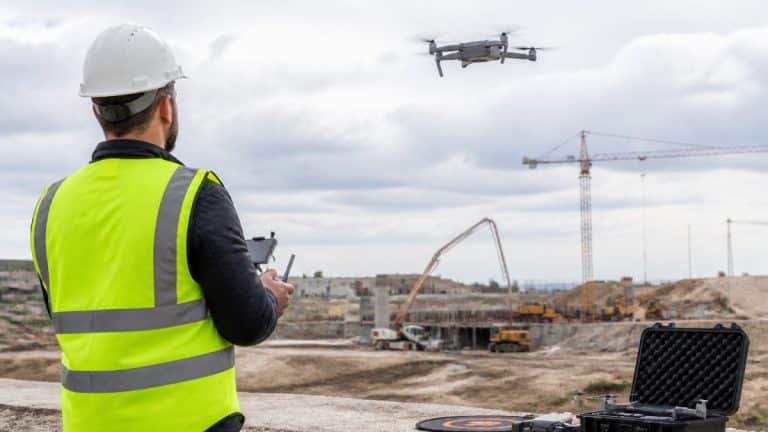
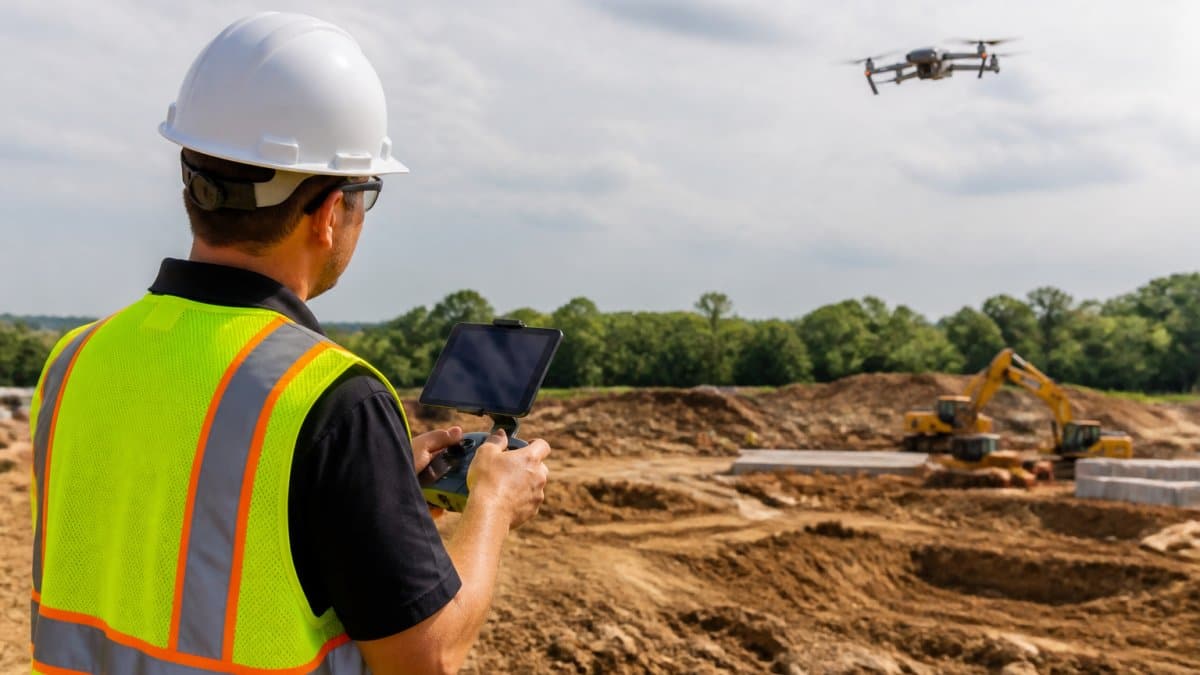
Drone technology eliminates guesswork from progress tracking. High-resolution aerial imagery shows exactly what’s completed, in progress, and not yet started. Unlike ground-level photos, drone footage captures the entire site in one view, so significant changes can’t be missed.
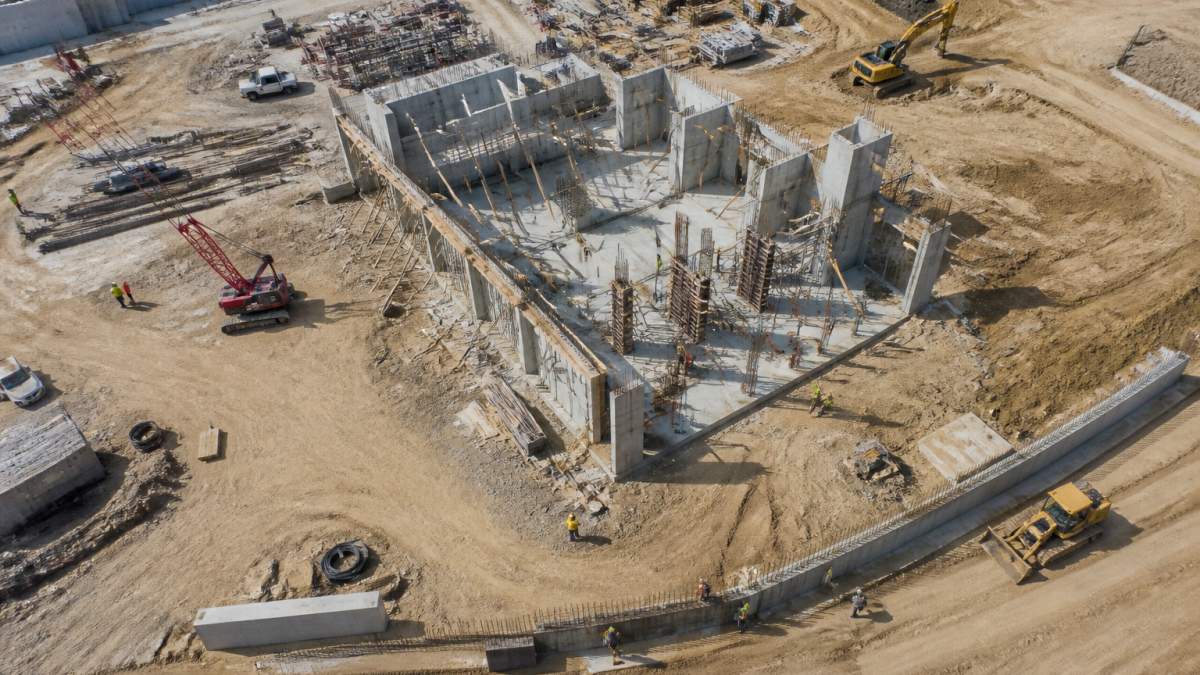
Drone data goes beyond photos. Modern drone technology captures 3D models through photogrammetry, letting you measure distances, calculate volumes, and track elevation changes with centimeter-level accuracy. For earthwork, stockpiles, or grading, you can verify subcontractor work to specification without sending someone out with a measuring tape.
Consistency is crucial. Capturing drone imagery from the same location and angle every week creates a visual timeline of the project. Changes become obvious, and delays become visible before they cascade.
SkyeTech Aerial uses FAA Part 107-certified pilots and advanced photogrammetry technology to deliver precise 3D models and orthomosaics. That accuracy means decisions based on data, not estimates, and visual proof when disputes arise about whether work was completed to spec.
Drone flights require clear weather and good lighting. Plan your monitoring schedule around weather forecasts. A flight in poor conditions produces unusable data and wastes time. Coordinate with your site safety officer to ensure flights happen when the site is properly cleared.
Measuring Success: Key Metrics and Corrective Actions
Tracking progress without a measurement method just produces opinions. The metrics below show how to calculate each one and tie a number back to a cause.
Schedule Variance. Compare planned completion against actual progress at the same point in time. If the plan called for 40 percent complete by week eight and the site is at 35 percent, the variance is five percentage points behind.
Cost Variance. Compare budgeted cost for work performed against actual cost. If the budget for work completed so far is $200,000 and actual spend is $215,000, the project is $15,000 over on that portion.
Earned Value, in plain terms. Earned value answers one question: for the money spent, how much work did we actually get? Multiply a task’s percent complete by its budget.
Milestone Achievement Rate. Count milestones finished on or before their target date, divided by milestones due in the period. If three of four landed on time, the rate is 75 percent.
Safety Incidents. Track near-misses and actual incidents daily. A spike often precedes larger problems, signaling crews are rushed, fatigued, or cutting corners. Treat a cluster of near-misses as a schedule problem, not just a safety problem.
Quality and Rework. Document rework, defects, and punch-list items as a share of completed work. A rising rework rate points to poor planning, inadequate training, or weak inspection.
Field data quality and update cadence. The metrics are only as good as the updates behind them. Decide who records each update, how often, and what evidence accompanies it.
Offline and mobile capture. Connectivity on site is rarely reliable, so the update process must work without a signal. Field crews should log entries, attach photos, and mark issues offline, then sync when they reach coverage.
When you find a variance, work through this corrective-action process:
- Identify the root cause. Don’t stop at “we’re behind.” Name the trade, task, and resource. A delay in one trade is a scheduling problem; delays across several trades usually point to a design, material, or staffing issue upstream.
- Evaluate the options. Can you add resources, resequence work, or extend the timeline? Write down the cost and schedule impact of each before choosing.
- Implement the decision. Assign one owner, set a date, and communicate the change to everyone affected, including subcontractors and the owner’s representative.
- Monitor the result. Check the same metric next period. If the variance is shrinking, the action is working. If not, the root cause was wrong; go back to step one.
| Metric | Frequency | Target | Action if Missed |
|---|---|---|---|
| Schedule Variance | Weekly | Within 2% of plan | Review sequencing and resource allocation |
| Cost Variance | Weekly | Within 5% of budget | Audit labor and material costs |
| Earned Value (top tasks) | Weekly | Earned value at or above actual cost | Recheck percent complete and remaining work |
| Milestone Achievement | Per milestone | 100% on time | Adjust downstream schedule |
| Safety Incidents | Daily | Zero | Pause work and investigate |
| Quality Defects | Weekly | Under 2% of completed work | Increase inspection frequency |
| Update Completion | Weekly | 80% or more of active tasks current | Shorten the update form and reassign owners |
The numbers only help if they lead to a decision. Pick the two or three metrics that match your biggest risks, review them on a fixed schedule, and close the loop with a named owner and a follow-up date. A metric nobody acts on is just a number.
Frequently Asked Questions
How often should construction progress be tracked?
Most projects benefit from weekly or bi-weekly progress updates during active construction phases. High-risk or fast-moving projects may need daily tracking. The frequency depends on project size, complexity, and team coordination needs. Regular cadence helps catch schedule variances early, prevents cost overruns, and keeps all stakeholders aligned. Establish a consistent schedule at project kickoff and adjust based on milestones or risk factors.
What should a construction progress report include?
A complete construction progress report covers: current phase and percentage complete, tasks finished versus planned, budget spent versus allocated, any schedule delays or accelerations, workforce and equipment on site, safety incidents or concerns, change orders or contract modifications, and upcoming milestones. Include visual documentation, photos, site measurements, or drone imagery, to verify actual conditions. This transparency helps project teams make data-driven decisions and manage stakeholder expectations.
How can drones help track construction project progress?
Drones capture high-resolution aerial imagery and 3D models that show site conditions from angles ground-level surveys cannot reach. This data reveals grading accuracy, structural progress, stockpile volumes, and potential safety hazards early. Drone imagery also verifies subcontractor work quality and provides visual evidence for progress reports without sending crews into hard-to-access areas. Regular drone flights create a time-series record that helps teams measure progress against the original schedule.
What is the best way to monitor construction progress in real time?
Real-time monitoring combines multiple methods: daily field observations by site supervisors, mobile project management apps that update instantly from the job site, GPS tracking for equipment and workforce, and scheduled aerial surveys for comprehensive site snapshots. Integrate data from these sources into a central platform so all stakeholders see the same current status. Real-time visibility reduces communication delays, enables faster corrective actions when issues arise, and keeps projects aligned with schedule and budget targets.