Identify Errors Early: Remote Asset Monitoring Guide
Table of Contents
- What Remote Asset Monitoring Does
- How Remote Asset Monitoring Works to Catch Problems
- Remote Monitoring Alerts and False Positives: Separating Real Issues from Noise
- Construction Equipment Inspection Checklist for Remote Monitoring
- Drone Inspections for Construction Sites: Early Detection in Action
- Choosing Remote Asset Monitoring Tools for Your Team
- Building a Safety Response Workflow After Detection
- Frequently Asked Questions
Last Updated: October 18, 2026
What Remote Asset Monitoring Does
Remote asset monitoring is the practice of tracking equipment, infrastructure, and facilities from a distance using sensors and connected devices. It captures real-time data about how your assets are performing, what condition they’re in, and whether problems are developing. This continuous visibility helps you identify errors early remote asset monitoring systems catch issues before they become expensive failures.
For construction managers, infrastructure professionals, and asset owners, remote monitoring means you’re not waiting for a crew to physically inspect a site. You’re getting constant updates about equipment health, structural integrity, and potential safety hazards. At SkyeTech Aerial, we help teams implement monitoring systems that deliver the early warning they need to prevent downtime and protect their teams.
The core benefit is simple: you see problems coming. You don’t react after something breaks. You respond before it fails.
How Remote Asset Monitoring Works to Catch Problems
Remote monitoring systems work by collecting data from multiple sources across your assets. Sensors measure temperature, vibration, pressure, humidity, and dozens of other variables depending on what you’re tracking. That data flows continuously to a central platform where software analyzes it for patterns and anomalies.
Here’s the basic process:
- Install sensors on critical equipment or infrastructure
- Connect devices to your network (wired, wireless, or cellular)
- Stream data to a monitoring platform in real time
- Analyze patterns using software that compares current readings to baseline normal conditions
- Trigger alerts when readings deviate from expected ranges
- Review alerts and decide whether action is needed
The key is that the system learns what “normal” looks like for your specific assets. A piece of equipment running at 65 degrees might be normal. The same equipment at 75 degrees might signal a problem. The monitoring system knows the difference because it’s been watching your equipment, not just following generic thresholds.
Start by identifying your highest-risk assets, the ones that cause the most damage or downtime if they fail. Focus your monitoring investment there first. You can expand to other equipment once you’ve proven the value.
Remote Monitoring Alerts and False Positives: Separating Real Issues from Noise
Every monitoring system produces two kinds of mistakes. A false positive fires an alert when nothing is wrong. A missed detection stays silent when something is. Both erode trust, but they fail in opposite directions: false positives train your team to ignore alerts, while missed detections let small faults grow into failures. The best systems are judged on both, not just on how many alerts they generate.
Where false positives actually come from
Most noise traces back to a handful of root causes, and each has a specific fix:
- Single-sensor triggers. One reading crossing a threshold is weak evidence. A temperature spike alone could be a failing bearing or an open door. Require corroboration from a second sensor or a second data source before escalating.
- Generic thresholds. Industry averages rarely match your equipment. A pump rated for a different duty cycle will trip alerts constantly if you use a one-size-fits-all limit. Baseline each asset against its own normal operating range.
- Uncalibrated sensors. A drifting sensor reports bad data with full confidence. Schedule calibration on a fixed interval and log it, so you can trace an alert back to a known calibration state.
- Environmental and operational context. Maintenance windows, weather events, scheduled tests, and nearby construction all create temporary readings that look like faults. Tag these events in the platform so the system excludes them automatically.
- Source misidentification. When multiple sensors feed one platform, a fault on one device can masquerade as a fault on another. Confirm which sensor produced the reading before you dispatch a crew.
Data-quality controls that keep alerts trustworthy
A monitoring system is only as good as the data flowing into it. Build these controls into your setup from day one:
- Calibration schedule. Calibrate critical sensors on a defined interval and record the date, result, and technician. Treat an out-of-calibration sensor as a data-quality incident, not a minor chore.
- Source identification. Label every sensor with its asset, location, and measurement type so an alert always points to a specific device, not a vague zone.
- Validation rules. Reject readings that fall outside physically possible ranges (a negative pressure, an impossible temperature) before they reach the alert engine.
- Alert-fatigue monitoring. Track how often alerts are acknowledged, dismissed, or ignored. A rising dismissal rate is an early warning that your thresholds need recalibration.
- Periodic review. Review alert history monthly and adjust sensitivity where patterns emerge. Thresholds are not set-and-forget settings.
Ignoring alerts because of too many false positives is dangerous. If you are drowning in noise, recalibrate the system. Lower sensitivity on non-critical metrics, require confirmation from multiple sensors, and fix the underlying data-quality problem. Do not just turn off the alarm.
Measuring detection performance
You cannot improve what you do not measure. Track these metrics so you can compare systems and prove value:
- Time to detect, how long between the fault occurring and the first alert.
- Time to acknowledge, how long between the alert firing and a person responding.
- False-alarm rate, the share of alerts that turn out to be non-issues.
- Missed-event rate, the share of real faults the system failed to flag.
- Avoided downtime, hours of unplanned downtime prevented, tracked against a baseline.
A system that fires fewer alerts but misses real faults is worse than one that fires more alerts and catches everything. Balance the two rates against the cost of each failure mode for your specific assets.
The goal is not zero alerts. The goal is alerts your team trusts enough to act on every time. Calibration, corroboration, and measurement are what get you there.
Construction Equipment Inspection Checklist for Remote Monitoring
When you’re setting up remote monitoring for construction equipment, focus on the assets that cause the most disruption when they fail. This checklist helps you prioritize what to monitor and what data points matter most.
Equipment to Monitor First:
- Excavators and heavy machinery (hydraulic systems, engines)
- Cranes and lifting equipment (structural integrity, cable tension)
- Generators and power distribution systems (voltage, load, temperature)
- Compressors and pneumatic systems (pressure, air quality)
- Pumps and water management equipment (flow rate, pressure, temperature)
Key Data Points to Track:
- Engine temperature and coolant levels
- Hydraulic fluid pressure and temperature
- Vibration frequency and amplitude
- Electrical current draw and voltage stability
- Fuel consumption patterns
- Operating hours and cycle counts
- Ambient temperature and humidity (for environmental stress)
Inspection Frequency:
- Critical equipment: daily automated checks, weekly manual review
- Standard equipment: weekly automated checks, monthly manual review
- Backup systems: monthly automated checks, quarterly manual review
| Equipment Type | Primary Sensor | Alert Threshold | Check Frequency |
|---|---|---|---|
| Excavator | Hydraulic pressure | +/- 10% from baseline | Daily |
| Crane | Cable tension | >5% variance | Daily |
| Generator | Voltage stability | ±5V from nominal | Continuous |
| Compressor | Pressure | >10% above max rated | Continuous |
| Pump | Flow rate | <80% of expected output | Daily |
The best monitoring setup focuses on the metrics that predict failure, not the ones that are easiest to measure. Pressure and temperature matter. Cosmetic wear does not.
Drone Inspections for Construction Sites: Early Detection in Action
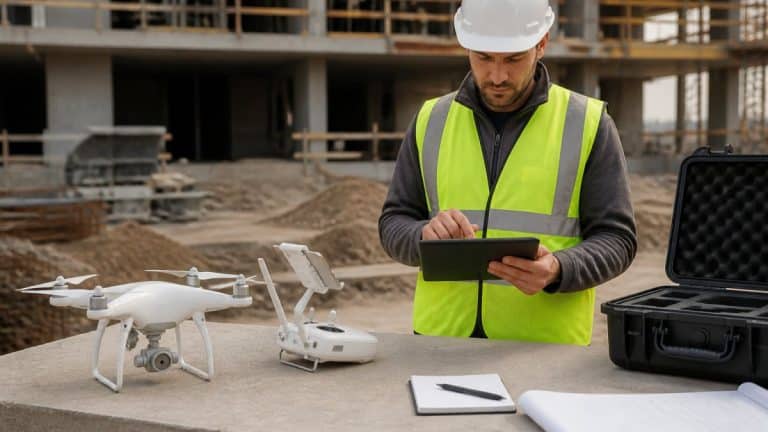
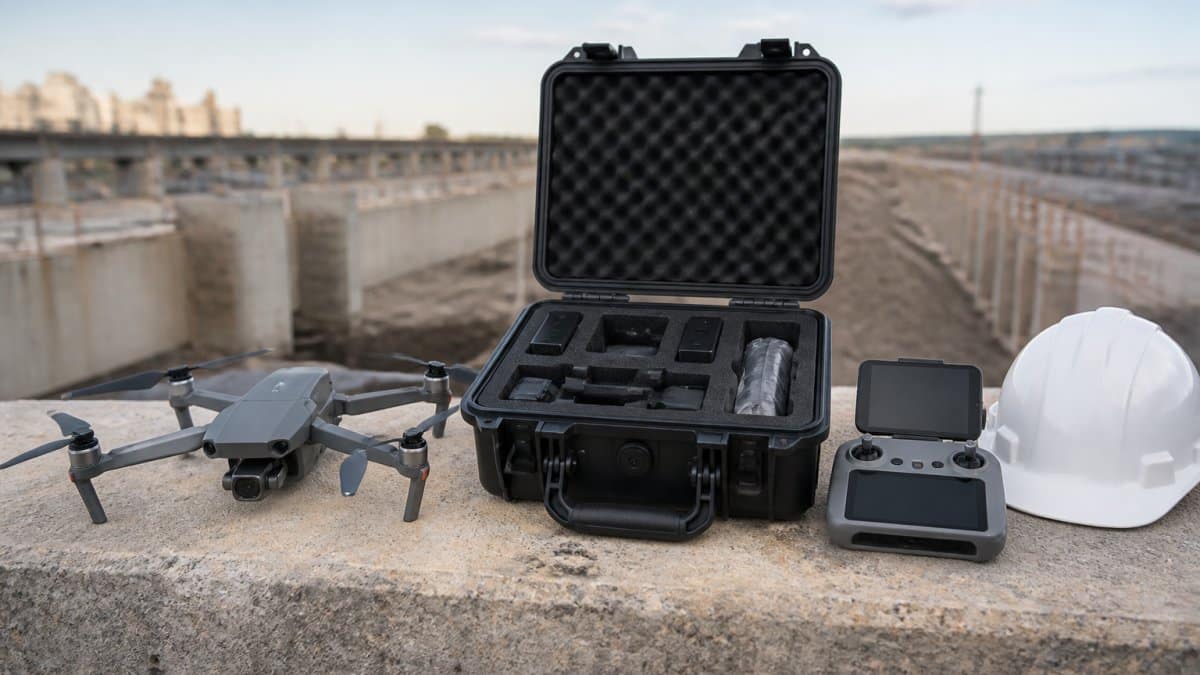
Drone inspections provide a different kind of early detection. Instead of continuous sensor data, drones capture high-resolution imagery and 3D models of your site. They help you identify errors early remote asset monitoring through visual inspection, seeing progress, safety hazards, structural issues, and compliance problems all in one flight. Integrating these visual assessments with thermal data allows operators to capture a more comprehensive picture of system health, highlighting how remote monitoring benefits extend to complex climate control infrastructure.
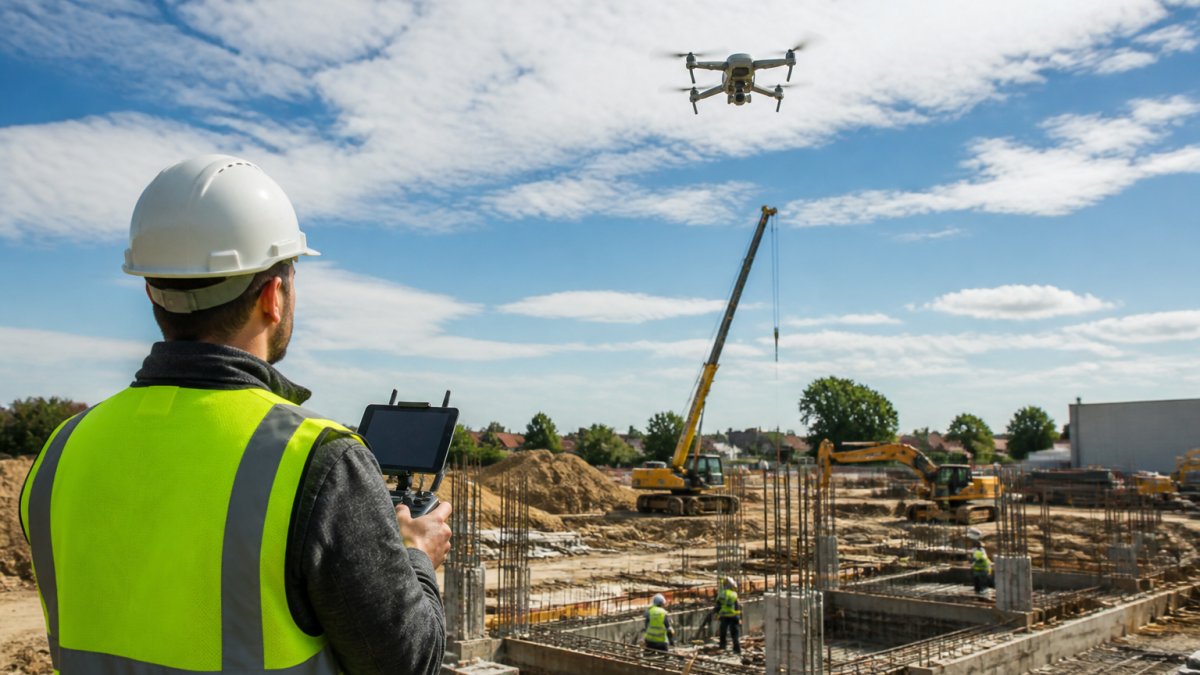
Drones excel at catching problems that sensors might miss. A crack in a foundation. Improper grading. Erosion around a structure. Subcontractor work that doesn’t match specs. These visual issues are hard to detect with point sensors. A drone sees the whole picture.
For early detection, drones work best when flown regularly on a schedule. Weekly flights during active construction phases. Monthly flights during slower periods. This creates a visual timeline of your project. You can compare week-to-week images and spot deviations immediately.
SkyeTech Aerial uses photogrammetry and LiDAR technology to turn drone imagery into precise 3D models and orthomosaics. That means you’re not just looking at photos. You’re working with measurable data. A grading error that looks small in a photo becomes obvious when you measure it against the model. Subcontractor work that’s off-spec shows up in the volume calculations.
Drone data also serves as documentation. If a dispute arises about work quality or timeline, you have timestamped, georeferenced imagery proving what was completed and when. That’s powerful protection.
Choosing Remote Asset Monitoring Tools for Your Team
Most buyers compare monitoring tools on features. The better approach is to compare them on fit: how well each option matches your assets, your response capacity, and your tolerance for false alarms. Use the criteria below as a scorecard, and weight each one for your situation before you look at any vendor.
Evaluation criteria that actually separate options
1. Asset coverage and sensor compatibility. List the asset types you need to monitor and confirm which sensors each system supports. A platform built for rotating machinery may not handle structural or environmental monitoring. Ask specifically whether the system supports the measurement types your highest-risk assets require.
2. Detection logic. Does the system alert on single thresholds, or can it require corroboration across multiple sensors? Can it learn a baseline for each asset, or does it rely on fixed limits? Detection logic is the single biggest driver of false-positive rates.
3. Alert routing and escalation. Confirm how alerts reach people: mobile push, text, email, dashboard, or phone call. Check whether escalation rules are configurable, for example, a critical alert that goes unacknowledged for a set period should escalate to a second contact automatically.
4. Integration with existing workflows. Does the system connect to your maintenance records, work-order system, or project management software? A monitoring platform that lives in its own silo creates duplicate work. Ask for the specific integrations available, not a general promise of connectivity.
5. Data quality and calibration support. Ask how the vendor handles sensor calibration, source labeling, and invalid readings. A system with no data-quality controls will generate noise regardless of how good its dashboards look.
6. Reporting and performance metrics. Confirm the platform reports time to detect, time to acknowledge, false-alarm rate, and missed-event rate. If it cannot show these, you cannot evaluate whether it is working.
7. Deployment effort and ongoing cost. Separate one-time costs (sensors, installation, integration, training) from recurring costs (platform subscription, connectivity, support, calibration). Compare total cost over a multi-year horizon, not just the first invoice.
A practical comparison framework
Score each candidate from 1 to 5 on the criteria above, then weight the scores by what matters most for your operation. A team with limited response capacity should weight alert routing and false-positive control heavily. A team monitoring many asset types should weight sensor compatibility and integration. A team with a tight budget should weight total cost of ownership over the contract term.
| Criterion | What to ask the vendor | Why it matters |
|---|---|---|
| Asset coverage | Which sensor types and asset classes are supported? | Prevents buying a system that cannot monitor your riskiest equipment |
| Detection logic | Single-threshold or multi-sensor corroboration? | Directly controls false-alarm rate |
| Alert routing | Configurable escalation and acknowledgment tracking? | Determines whether alerts reach the right person in time |
| Integration | Named integrations with your existing systems? | Avoids duplicate work and data silos |
| Data quality | Calibration schedule and validation rules? | Keeps alerts trustworthy over time |
| Performance reporting | Time to detect, false-alarm rate, missed-event rate? | Lets you prove value and compare options |
| Total cost | One-time plus recurring costs over three years? | Reveals the true cost beyond the first invoice |
Run a short pilot on your highest-risk asset before committing to a full rollout. A few weeks of real data will tell you more about false-positive rates and alert routing than any sales demo.
Match the tool to how your team works
The best tool is the one your team will actually use. A sophisticated system that generates alerts nobody trusts is worse than a simpler system that produces reliable, actionable warnings. Before you buy, walk through a real alert scenario with the vendor: who gets notified, what they see, and what they do next. If that workflow is unclear in the demo, it will be unclear on site.
Building a Safety Response Workflow After Detection
Detecting a problem is only half the battle. The other half is responding fast and effectively. A good safety response workflow ensures that alerts lead to action, not confusion.
Here’s a framework for building yours:
Step 1: Classify the Alert
- Critical: Immediate safety risk or imminent equipment failure
- High: Problem that needs attention within 24 hours
- Medium: Issue to address within a week
- Low: Monitor and address during next scheduled maintenance
Step 2: Notify the Right People
- Critical alerts go to the site supervisor and safety officer immediately
- High alerts go to the equipment manager and supervisor
- Medium and low alerts go to maintenance logs for review
Step 3: Investigate
- Send someone to physically inspect the asset
- Confirm whether the alert reflects a real problem
- Document what you find (photos, measurements, observations)
Step 4: Take Action
- Repair or replace the equipment
- Adjust monitoring thresholds if the alert was a false positive
- Document the repair and update maintenance records
Step 5: Verify and Close
- Confirm the issue is resolved
- Monitor the asset closely for the next 24-48 hours
- Close the alert once the problem is fixed
The workflow only works if people know their role. Assign responsibility clearly. Make sure alert notifications reach the right person. Test the process before you need it in an emergency.
Create a simple one-page response guide that everyone on site can understand. What does a critical alert mean? Who do you call? What do you do while waiting for help? Clear expectations prevent chaos when something actually fails.
Early detection is the foundation of reliable equipment and safe operations. Remote asset monitoring gives you the visibility to catch problems before they cascade into bigger failures. Whether you’re using continuous sensors, periodic drone inspections, or both, the key is building a system that your team trusts and uses consistently.
At SkyeTech Aerial, we help construction and infrastructure teams implement monitoring solutions that deliver actionable intelligence. Our drone-based inspections use centimeter-level accuracy and advanced photogrammetry to create precise 3D models and orthomosaics of your sites. That means you’re not just getting photos, you’re getting measurable data that helps you identify errors, verify subcontractor work, and plan smarter. We conduct all flights to FAA Part 107 standards with fully insured operations and FAA-certified pilots. Ready to see how early detection can transform your project outcomes? Request a free quote and let’s discuss how we can help your team stay ahead of problems.
Frequently Asked Questions
How does remote asset monitoring identify problems early?
Remote asset monitoring systems use continuous data collection from IoT sensors and connected devices to track equipment performance, hardware condition, and operational metrics in real time. By establishing baseline performance patterns, the system detects anomalies, unusual temperature changes, vibration increases, or performance dips, that signal emerging issues before they become failures. Early detection allows teams to schedule corrective action during planned maintenance windows rather than facing unplanned downtime and emergency repairs.
How can construction teams reduce false alarms from monitoring systems?
False positives occur when sensor data triggers alerts for non-critical variations or sensor errors rather than real equipment problems. Teams can reduce false alarms by setting alert thresholds based on actual equipment specifications rather than arbitrary values, implementing data-quality checks to filter sensor errors, and establishing verification protocols, such as visual inspection or secondary sensor confirmation, before escalating alerts to the response team. Training operators to understand which alerts require immediate action and which warrant investigation helps teams respond efficiently without alert fatigue.
What should a remote asset monitoring system track?
Effective remote asset monitoring tracks equipment health indicators such as temperature, vibration, pressure, and power consumption; performance metrics like uptime, cycle time, and output quality; and safety-critical parameters such as structural integrity, hazard exposure, and compliance status. The specific assets and metrics depend on your industry, construction teams might track crane stability and foundation settlement, while infrastructure professionals monitor pipeline pressure and utility line condition. Prioritize tracking assets that directly impact safety, project timeline, or operational costs.
Can drones help identify construction site safety issues?
Yes. Drone inspections for construction sites provide high-resolution aerial imagery and data that reveal safety hazards invisible from ground level: exposed rebar, incomplete fall protection, equipment placement that violates clearance zones, and structural issues in partially completed work. Drones equipped with thermal or LiDAR sensors can detect temperature anomalies indicating electrical faults or moisture intrusion, and measure precise distances to verify compliance with safety setbacks. Centimeter-level accuracy from drone-based photogrammetry and LiDAR technology allows teams to identify grading errors, settlement, and alignment problems that could compromise structural safety before they escalate.